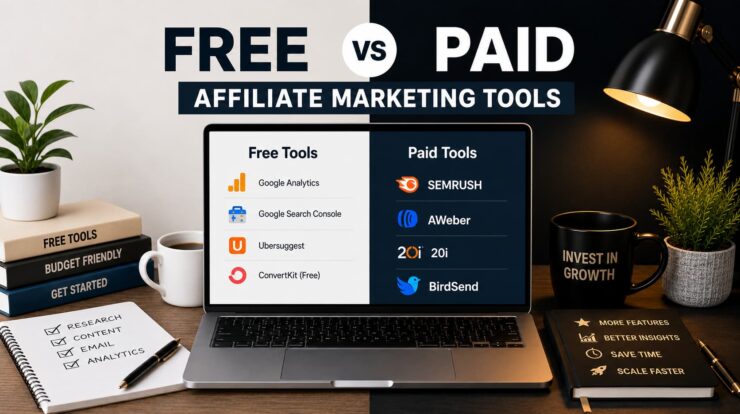
A bloke I know had four tools running on paid plans before he’d published a dozen articles. Keyword research tool, email marketing platform, design suite, AI the lot, all justified in his head as “investing in the business.”
Meanwhile, another affiliate I know built a site that’s still online, pulling traffic and earning a decent monthly commission two years later. She refused to pay for anything for over a year (except for a domain name and hosting), instead using mostly free tools and plans. In my experience, the first mistake is more common: most beginners pay too early rather than too late.
Don’t pay because a tool looks professional or because a course bundles it into the pitch. Pay only when the free option is costing you time, money or opportunity in a specific way. That’s the rule. Below is where that line sits for five categories.
One note before the numbers: every price here will eventually be outdated. Software pricing changes constantly, so treat dollar figures as approximate and check each platform’s pricing page before you commit.
Tracking software and AI tools get their own full breakdowns elsewhere on this site, so they’re not repeated here: see our tracking software comparison and AI tools roundup.
The Decision, Category by Category
Keyword research – Start free: Keyword Planner, Google Trends. Upgrade once competitor and keyword-gap research becomes part of your regular process, not an occasional check.
Email and list building – Start free: Upgrade once you’re building automation sequences, not just when your list crosses a subscriber threshold.
Design – Start with Canva’s free plan. Upgrade once the free template library visibly slows you down most weeks, not just occasionally.
Domain name – Not really a free-versus-paid question. Pay once you’ve decided you’re building something you intend to keep, not while you’re still testing the idea.
Hosting – Start with budget hosting if traffic is low. Upgrade once you can point to a checked slow load time or an outage that actually cost you traffic, not a general sense you should be doing more.
Keyword Research
Google Keyword Planner and Google Trends, both free, cover what most beginners need to plan content for months at a time. One thing worth knowing: Keyword Planner’s volume figures are more precise for accounts with active ad spend and use broader ranges for accounts that aren’t spending.
The upgrade trigger is specific: once checking what competitors rank for, and finding the keyword gaps between their content and yours, becomes something you do regularly rather than occasionally, that’s when a paid tool earns its keep.
Semrush is where I’d point you. It bundles keyword research, competitor gap analysis, site auditing, and content planning into a single platform rather than a narrower tool, which matters once you’re doing more than basic lookups.
If you can’t name three things you’d use it for this week, you’re not there yet.
Email and List Building
In my experience, the email marketing upgrade trigger is more often driven by automation complexity than by list size. The free tier will no longer be enough once you have a proper welcome sequence and a couple of evergreen follow-ups running, rather than just broadcasting individual emails. The automation limits started getting in the way. That’s a more reliable signal than any particular number, because subscriber caps vary by platform and change over time anyway.
On the platforms themselves, Kit’s free plan currently supports a large number of subscribers and includes core automation. AWeber has a genuine free plan too, smaller but with a landing page builder, automations and sign-up forms included.
BirdSend skips the free tier but offers a 7-day trial. Cancel inside that window, and it costs nothing. Past the trial, it’s a flat, low monthly rate with everything, including automation, unlocked from day one rather than gated behind a higher plan. If you’d rather pay a small predictable amount immediately than track a plan’s limits as you grow, that’s the case for starting here instead.
Design
Canva’s free plan gives you a large template library and enough storage to run a real content calendar without hitting a wall.
For me, the moment of choosing to upgrade wasn’t the publishing schedule. I noticed I’d run the same three usable free templates into the ground, and my graphics were starting to look like everyone else’s. Canva Pro runs somewhere between $12 and $18 a month depending on your billing plan and gives you access to an expanded template and stock library, plus a larger AI credit allowance. Pay when your own output is visibly repeating, not on a calendar.
Domain Name
There’s no meaningful free tier here, so the trigger doesn’t accumulate over time as it does in the other categories. It’s a single moment: the point you stop testing an idea and decide you’re building something you intend to keep. That’s when you register and pay for a real domain instead of running on a free subdomain, not before or months after you’ve already decided the site is staying.
If you’re set on a .com.au specifically, there are two eligibility conditions worth knowing before you fall in love with a name. First, have an Australian commercial presence, generally an ABN, ACN, or an Australian trade mark.
Second, make sure the domain name has a real connection to that registrant, what auDA calls a “close and substantial connection” to your name or brand, not just any available string you happen to hold an ABN under.
These rules have shifted in recent years, so check auDA’s own eligibility rules directly before you register, rather than relying on a summary, including this one.
Hosting
There’s no reason to pay for premium managed VPS hosting services until your hosting company is complaining that you need to upgrade your shared hosting account.
This site runs on 20i Hosting, and it’s the host I’d point you to first. Every plan includes a free CDN, WordPress-specific caching, and a genuinely painless migration if you’re moving from elsewhere. If a meaningful share of your visitors is in Australia or Asia, 20i opened a Singapore data centre in early 2026, which is closer to that traffic than a host running everything out of the US.
HostGator and Bluehost are the two I’d suggest if you want a super-cheap first-year special. Both run cPanel, the control panel most WordPress tutorials and support forum answers assume you’re using. 20i‘s own dashboard is cleaner, but if you’re following a guide that assumes cPanel, or you’ve used it before on another host, that familiarity is worth more than a nicer interface.
Carefully review the 2nd-year renewal pricing before you sign up for any hosting package. Budget hosts commonly jump in price after the first term, and the discounted first-year rate isn’t what you’ll actually pay in the future. Get started with one, and you can always switch to another host if your budget is still tight in 12 months.
The Bottom Line
Most of what’s in this article, you can ignore until it applies to you. That’s not laziness or a lack of interest in “investing in your business”: it’s how you avoid running five tools badly rather than one properly. Keep an eye on any limitations you’re hitting right now, act on that one, and leave the rest for later.
Keep Learning
- Affiliate Link Tracking Software Compared: The free-to-paid breakdown for tracking specifically, covered in full there.
- 25 AI Tools Every Affiliate Marketer Should Know About: AI writing and research tools, not duplicated in this article.
- How To Choose The Right Affiliate Marketing Niche: Worth locking in before you spend on any tool in this list.